
Introduction
Every furniture brand eventually asks the same question: how many images does each product need? A furniture asset matrix answers it. It is a simple planning table that lists the image types each SKU gets, and the count for each type.
Without one, catalogs grow unevenly. For example, bestsellers get six photos, while new items get one. Then someone orders a full shoot for a sofa nobody buys. As a result, budgets drift and listings look inconsistent.
At Blue Ribbon 3D, we plan catalogs this way before we render a single image. This guide shows you the matrix, the tiers behind it and a worked example you can copy.
| Quick Answer A furniture asset matrix is a planning table that sets how many images and media files each SKU needs, based on its sales tier. A practical starting point is about nine images for hero products, six for core products and four for long-tail items. These counts are a recommended framework, not a fixed rule, so adjust them to your channels and margins. |
Key Takeaways
- An asset matrix replaces guesswork with one clear table for every SKU.
- Tiering your catalog saves images on slow sellers and adds depth to bestsellers.
- Variants reuse one model, so each extra colour costs far fewer images.
- Sales channels set limits, so check them before you finalize counts.
- Consistent file names make the matrix easy to audit and update.
At a Glance: The Three-Tier Starting Point
| Tier | Who it covers | Suggested images per SKU |
| Tier A: Hero | Bestsellers and new launches | About 9, plus 360° view and AR where useful |
| Tier B: Core | Steady mid-range products | About 6 |
| Tier C: Long tail | Slow or simple products | About 4 |
What Is a Furniture Asset Matrix?
Think of it as a grid. First, the rows list your asset types, such as white-background images, detail close-ups and lifestyle scenes. Then the columns list your product tiers.
Each cell holds a number. That number tells your team how many of that asset every SKU in the tier receives. Therefore, anyone can read the table and know exactly what to produce.
Also, the matrix works as a quoting tool. When a studio sees the table, it can price the whole catalog in one pass instead of guessing product by product.
Why Does Every Catalog Need One?
Four problems appear when brands skip the planning step.
- Uneven listings: some products look rich, while others look unfinished.
- Budget drift: teams add extra shots with no limit, so costs creep up.
- Rework: missing angles surface late, and the studio must reopen scenes.
- Slow approvals: without a standard, every product needs a new discussion.
A matrix fixes all four, because it turns taste into a repeatable rule. In addition, it gives new team members a clear standard from day one.
How Many Images Does Each SKU Need?
The short answer depends on tier. Planning furniture product images per SKU works best when you assign each product to a tier first, then apply the counts below.
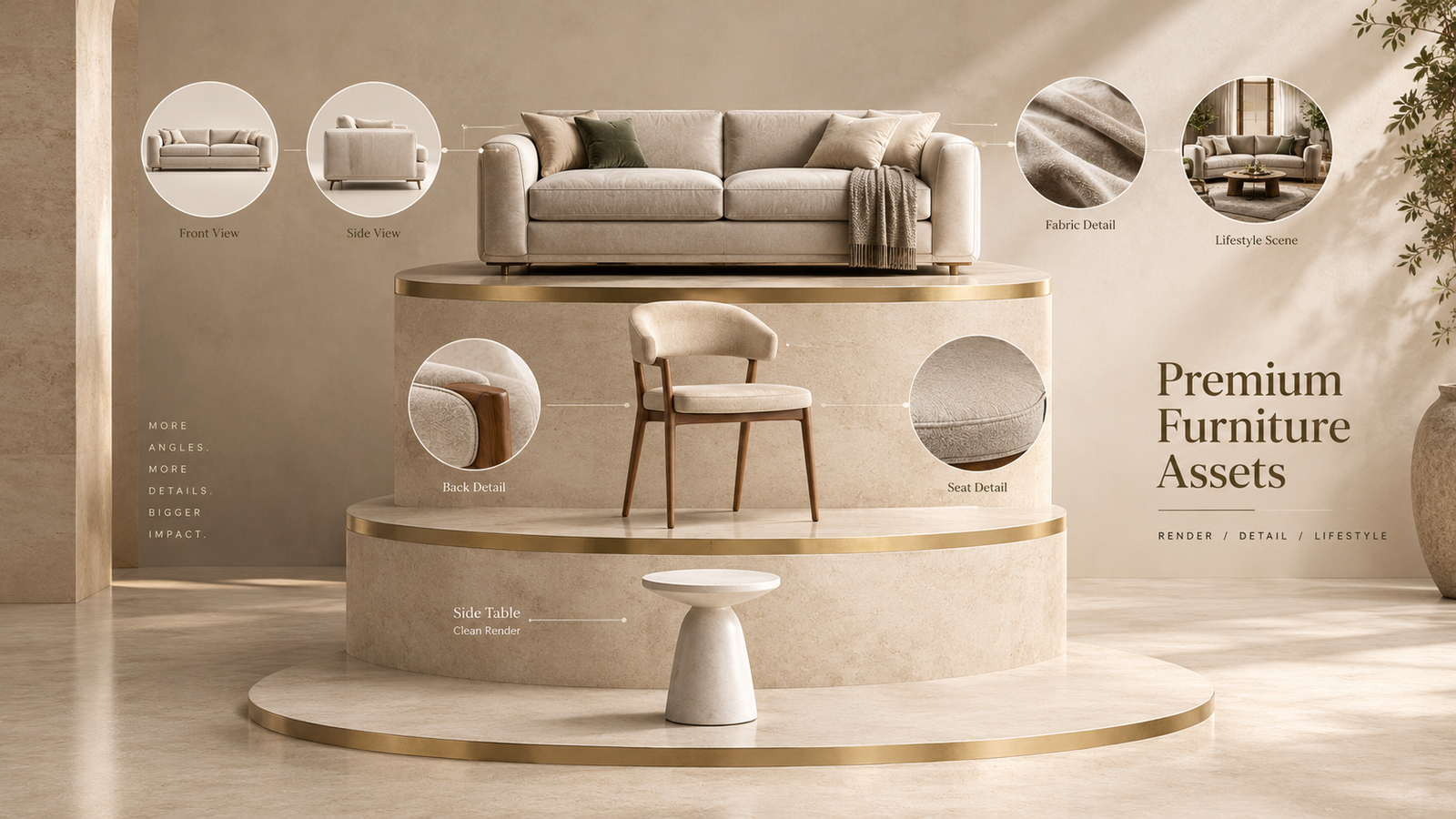
| Asset type | Tier A | Tier B | Tier C |
| White-background main image | 1 | 1 | 1 |
| Extra angles (side, back, 45°) | 3 | 2 | 1 |
| Detail close-ups (fabric, joinery) | 2 | 1 | 0 |
| Dimension graphic | 1 | 1 | 1 |
| Lifestyle scene | 2 | 1 | 1 |
| Total still images | 9 | 6 | 4 |
| 360° view / AR model | If useful | Optional | No |
What Do Sales Channels Allow?
However, your matrix must also fit your channels. Marketplaces and storefronts set limits, and those limits change over time, so always confirm the current rules.
| Channel | Commonly reported image allowance |
| Large marketplace listings | Up to 9 images, with about 7 shown by default on desktop |
| Storefront platforms | Many allow far more, and guides often suggest 4 to 6 per product |
These limits explain why Tier A sits near nine. That count fills a marketplace listing without wasting images that never display. Meanwhile, your own website can carry extras, such as a 360° view or an AR model.
What Should Each Image Type Show?
A matrix works only when every row has a clear job. Use these short definitions in your brief.
- Main image: the product alone on white, centred and sharp, so shoppers see its shape first.
- Extra angles: side, back and three-quarter views that answer “what does it look like from here?”
- Detail close-ups: fabric weave, stitching, wood grain and hardware that prove quality.
- Dimension graphic: a clean drawing with width, depth and height, so size is never a surprise.
- Lifestyle scene: the product in a styled room, which helps shoppers picture it at home.
When each row has one clear job, your studio wastes no time on repeat shots. As a result, the final set feels complete without feeling crowded.
How Do You Build the Matrix Step by Step?
You can build a working matrix in an afternoon, so follow these seven steps.
- List every SKU in a spreadsheet, with price and sales data.
- Sort SKUs into three tiers by sales, margin or launch priority.
- List the asset types you want, such as main, angles and lifestyle.
- Set a count for each asset type in each tier.
- Add channel rules, such as image limits and background requirements.
- Multiply counts by SKUs to get the total number of images.
- Send the table to your studio for a single, clear quote.
How Do Variants Change the Count?
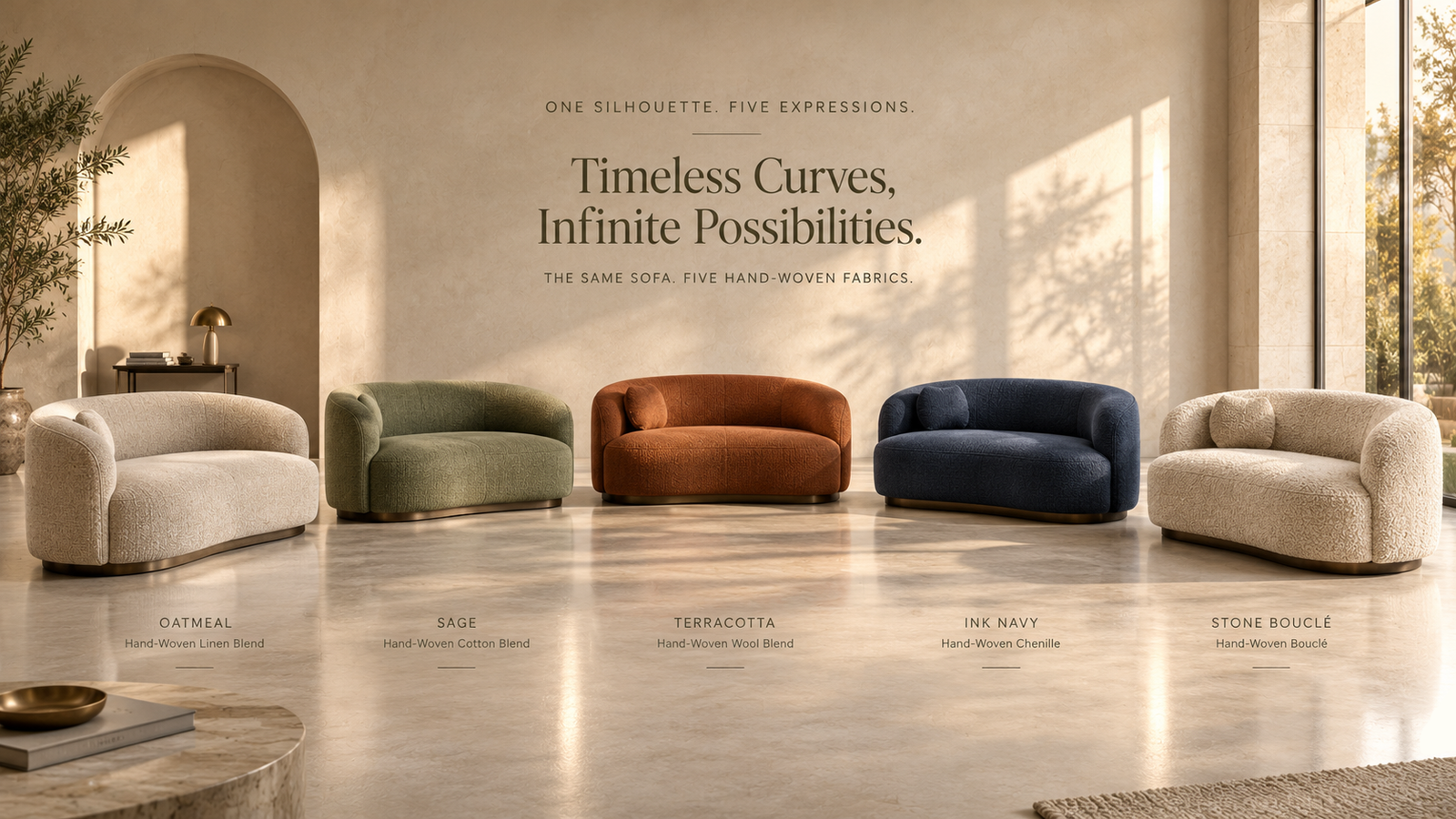
Variants are where 3D saves the most. A studio builds one model, then swaps the fabric or finish. Therefore, each extra colour needs far fewer images than the first product.
A good rule is simple: give every variant its own main image and one angle, but skip the full lifestyle scene unless the colour is a bestseller.
For example, a Tier A sofa with four fabrics needs its 9 base images. Each fabric then adds 2 more images, which is 8 in total. The final count is 17 images, not 36.
What Does the Matrix Look Like on a Real Catalog?
The following is an illustrative example, not a named client. A brand has 100 SKUs. It places 10 in Tier A, 30 in Tier B and 60 in Tier C.
| Tier | SKUs | Images each | Total images |
| Tier A | 10 | 9 | 90 |
| Tier B | 30 | 6 | 180 |
| Tier C | 60 | 4 | 240 |
| Catalog total | 100 | — | 510 |
Now compare that with a flat rule of eight images for every SKU. That plan needs 800 images. The tiered matrix needs 510, which is 290 fewer, and it still gives bestsellers the deepest coverage.
Of course, your own numbers will differ. The point is the method, because tiering moves effort to where it earns the most.
Who Should Produce the Images?
Many brands use 3d furniture rendering services for the whole matrix, because one 3D model can generate every row in the table. The studio builds the model once, then produces angles, close-ups, scenes and variants from it.
This approach also keeps style consistent, because every image shares the same lighting, camera logic and colour accuracy, so the catalog looks like one collection.
Before you start, send the studio your matrix, your channel rules and your product files. Then ask for a test render of one Tier A product.
How Do You Handle Sets, Modular Pieces and Extendable Tables?
Some products break the simple rules. A modular sofa can take many shapes. A dining table may extend, and a bedroom set may include five pieces.
For these products, add a configuration row to your matrix. Count one image for each major layout, such as a small sofa and a full sectional. Also, add one image that shows how the extension or module works.
Treat a set in two parts. First, plan one group image for the whole set. Then give each key piece the image count for its own tier. As a result, shoppers can see the set and the single pieces clearly.
How Should You Name and Track the Files?
A matrix only works if you can audit it. Use one naming pattern for every file, and keep a status column next to each SKU.
| Part | Example (illustrative) |
| SKU code | SOFA-A100 |
| Asset type and angle | silo-front |
| Variant | sage |
| Full file name | SOFA-A100_silo-front_sage.jpg |
With this pattern, you can see gaps at a glance. For example, if a SKU lacks a detail shot, the missing file name is obvious.
How Often Should You Review the Matrix?
Review it every season, and again after a major launch. Products move between tiers as sales change. A Tier C chair that suddenly sells well deserves more images.
Meanwhile, retire images that no longer help. If a lifestyle scene looks dated, replace it. Because the 3D model already exists, an update usually costs less than a new build.
Finally, record every change in the sheet. That history shows which images your team added, and why.
What Mistakes Should You Avoid?
- Using one count for every SKU: this wastes effort on slow sellers.
- Ignoring channel limits: extra images may never display.
- Skipping dimension graphics: size confusion is a common reason for questions and returns.
- Never updating the matrix: review it each season as products move between tiers.
Frequently Asked Questions
What is a furniture asset matrix?
A furniture asset matrix is a planning table that sets how many images and media files each SKU needs, by product tier and asset type. It gives your team and your studio one clear standard for the whole catalog.
How many images does each furniture SKU need?
A practical starting point is about nine still images for hero products, six for core products and four for long-tail items. These counts are a planning framework, so adjust them to your channels, margins and product complexity.
How do I split my catalog into tiers?
Sort SKUs by sales, margin or launch priority. Put bestsellers and new launches in Tier A, steady products in Tier B and slow or simple products in Tier C. Then review the tiers every season.
How many images do I need for colour variants?
Give each variant its own main image and one extra angle. Since the studio reuses the 3D model, a variant needs far fewer images than the first product. Skip full lifestyle scenes for slow-selling colours.
Should every product have a lifestyle image?
Not always. Bestsellers benefit most from lifestyle scenes, while simple or slow products may need only a white-background set. Use your tiers to decide where scenes earn their cost.
Do I need a 360° view or AR model for every SKU?
No. These assets suit high-consideration products, such as sofas and beds, where size and detail matter. Add them to Tier A first, then expand if the results justify the cost.
How do sales channels affect image counts?
Channels set limits and rules, such as how many images a listing allows. Plan your main image set to fit the tightest channel, and add extras only on your own website.
Can one 3D model produce the whole matrix?
Yes. A studio can build one accurate model and then render angles, close-ups, lifestyle scenes and variants from it. This keeps style consistent and avoids paying for the same geometry twice.
Conclusion
A good catalog needs a plan, not improvisation. A furniture asset matrix gives you that plan in one table: clear counts, clear tiers and clear costs.
First, sort your SKUs. Next, set counts per tier. Then check channel limits and send the table to your studio. Finally, review it each season.
Want help building yours? Blue Ribbon 3D plans the matrix with you and then produces every image from one accurate 3D model.
Get Your Free SampleRequest a free sample render for one of your products. Contact us here to get started. |
Related posts

Furniture Tariffs 2026: How US Brands Launch With 3D Renders Before Inventory Lands
Introduction Most advice on furniture tariffs 3D renders starts with price. This guide starts with ti …

3D Furniture Rendering Services USA: 2026 Buyer’s Guide to Specs and Pricing
Introduction Buying 3D furniture rendering services USA should feel simple. Send a product. Receive p …