Introduction
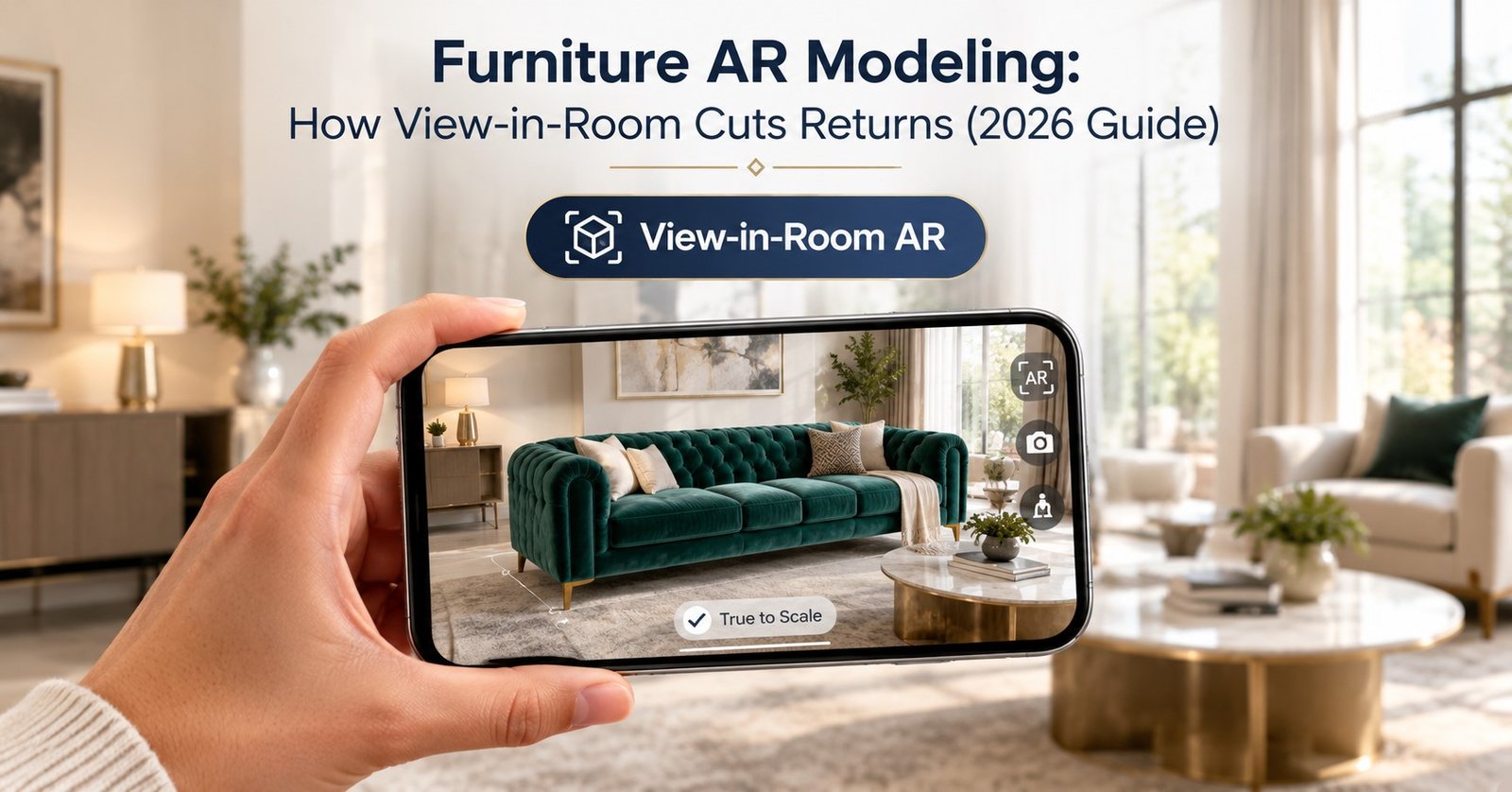
Furniture AR Modeling turns a product page into a fitting room for the home. A shopper taps one button. Then the sofa appears in the living room at its real size.
That moment matters. Most furniture returns start with a simple surprise: the piece looks different once it arrives. It is bigger than expected. The colour looks off. The shopper never had a fair chance to check.
At Blue Ribbon 3D, we build the 3D models behind these previews. This guide explains why furniture gets returned, how view-in-room previews work, and what a model needs before it is ready for a customer’s room.
| Quick Answer Furniture AR modeling is the process of building accurate, true-to-scale 3D models that shoppers can place in their own room through a phone camera. This view-in-room preview lets buyers check size, colour and fit before ordering. As a result, fewer pieces come back for the most common reasons: wrong scale and wrong look. |
Key Takeaways
- Scale and colour mismatch drive most furniture returns, and AR addresses both.
- A model must be built to exact real-world dimensions to work in view-in-room.
- WebAR opens the preview in a browser, so shoppers need no app.
- Quality checks before launch protect trust more than any extra feature.
- Start with your bestsellers, then expand across the catalog.
At a Glance: Returns and AR in Numbers
| Figure | What it shows |
| 22%–24% | Typical online furniture return rate |
| ~58% | Share of furniture returns linked to scale or fit |
| ~44% | Share linked to colour or material mismatch |
| $55–$108 | Average cost to process one large furniture return |
| ~40% | Average return reduction reported for AR product visualization |
Why Do Furniture Returns Happen in the First Place?
Furniture is bulky, expensive and hard to ship back. Industry reports put online return rates for the category at around 22% to 24%. Processing one large return can cost a merchant roughly $55 to $108.
The same reports point to two main causes. First, scale: about 58% of furniture returns relate to size or fit. Second, colour and material: about 44% relate to a look that did not match expectations. These figures overlap, because one order can fail on both.
Notice what these causes have in common. Neither is a quality problem. The product is fine. The shopper simply could not judge it from flat photos. That is exactly the gap AR closes. Each avoided return also saves freight, handling time and customer support effort. Over a full catalog, those savings add up quickly.
What Is Furniture AR Modeling?
It is the craft of building AR Furniture Models that behave correctly in a real room. The model must match the real product’s width, depth and height. It must also carry accurate materials, so fabric and wood look right under home lighting.
A marketing render can cheat. It can hide a flat back or a heavy mesh. An AR model cannot. The shopper walks around it, bends down to inspect it and compares it with the wall behind it. Every shortcut shows.
For that reason, AR modeling follows stricter rules than ordinary catalog work. Those rules cover scale, file weight and material accuracy. We explain each one below.
How Does View-in-Room AR Work?
View-in-Room AR runs on a shopper’s phone and uses its camera. The process takes only a few seconds from the shopper’s side.
- Tap: the shopper presses a “View in Room” button on the product page.
- Scan: the phone camera finds the floor and measures the open space.
- Place: the 3D model appears at its true size on that floor.
- Move: the shopper walks around, rotates the piece and checks the fit.
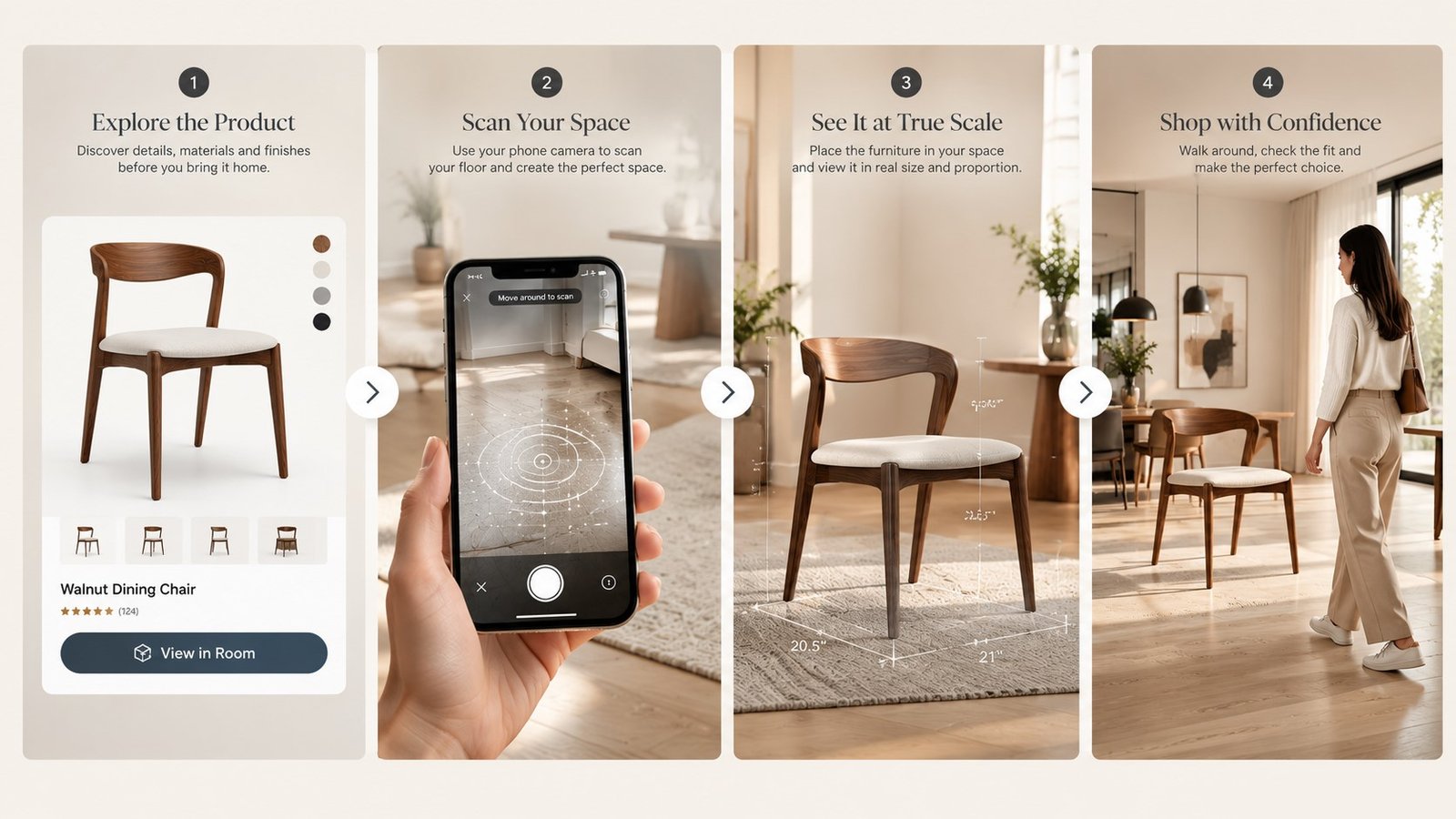
The phone does the tracking. The model supplies the truth. If the model is a few centimetres off, the preview misleads the shopper, and the return risk comes straight back.
What Makes a 3D Furniture Model AR-Ready?
Not every 3D Furniture Models work in AR. Models built only for still images are often too heavy or too loose in scale. A good AR model meets five requirements.
| Requirement | Why it matters |
| True-to-scale dimensions | Shoppers judge fit by size, so the model must match the real product. |
| Light file weight | Heavy files load slowly and lose shoppers on mobile. |
| Accurate materials | Fabric, grain and sheen must read correctly in home lighting. |
| Clean geometry | Hidden errors show up when shoppers move around the piece. |
| Correct floor contact | Legs and base must sit on the floor, not float or sink. |
This is where Furniture AR 3D Modeling differs from general modeling. The goal is not to impress with detail. Instead, the goal is to be accurate, light and reliable on every phone.
File weight deserves extra attention. Many shoppers browse on mid-range phones and average mobile connections. A model that takes ten seconds to open will lose them before the preview starts. Light files keep the experience smooth and keep shoppers engaged.
Good teams build one master model first. Next, they create a lighter AR version from it. That way the same asset can serve renders, 360° views and AR without rework.
Why Do Materials Matter as Much as Size?
Size gets most of the attention. Colour deserves just as much. About 44% of furniture returns relate to a look that did not match expectations, according to industry reports. A grey sofa can look blue under cool light and beige under warm light.
Accurate materials fix part of this problem. Artists scan or photograph real fabric swatches, wood samples and leather grains. Then they rebuild each surface so it reacts to light the way the real one does. Velvet should glow at the edges. Matte oak should stay soft and flat.
Phone screens add one more variable, because every display shows colour a little differently. For this reason, honest teams add a short note near the preview: “Colours may vary slightly by screen.” That line sets a fair expectation and protects trust.
WebAR or App-Based AR: Which Fits Your Store?
Shoppers rarely download an app to buy a sofa. For this reason, WebAR Furniture has become the practical default. WebAR opens the preview straight from a link or a button in the mobile browser.
| Factor | WebAR | App-Based AR |
| Shopper effort | One tap, no install | Download required |
| Reach | Most modern phones | Only app users |
| Setup | Embedded on the product page | Needs a full app build |
| Best for | Most online furniture stores | Brands with an existing app |
Whichever route you choose, the asset stays the same. Strong AR 3D Models for E-commerce are built once and then reused across your store, your marketplace listings and your ads.
How Does View-in-Room Cut Returns?
AR cuts returns by moving the moment of surprise earlier. Instead of discovering a problem at the front door, the shopper finds it on the product page. Some will decide against the piece. That is a good outcome, because a lost sale costs less than a return.
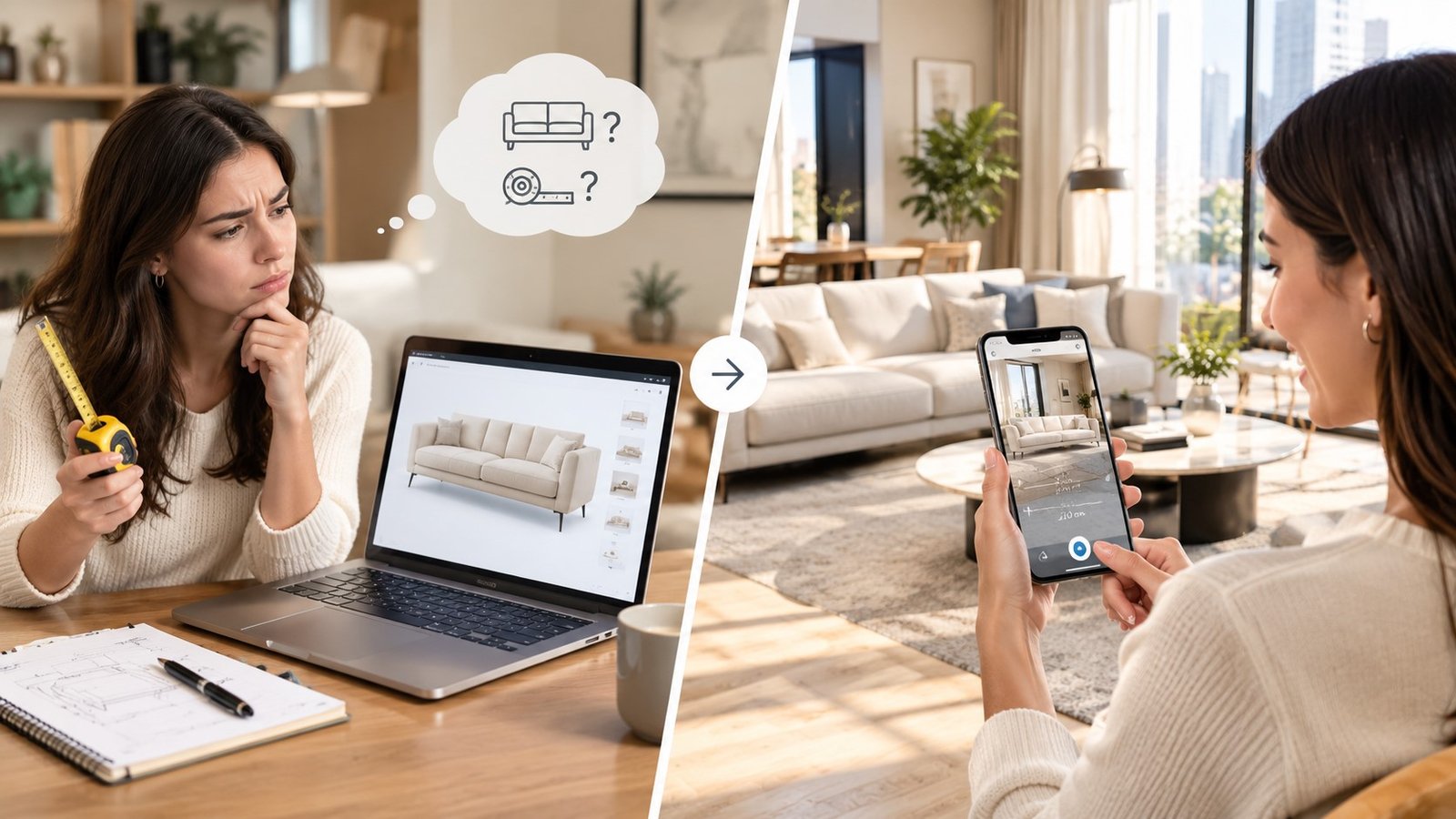
The link between cause and cure is direct. Industry reports put the average return reduction near 40% for AR product visualization. Treat this as an industry signal, not a promise for your store.
| Return cause | How AR helps |
| Too big or too small | The shopper checks true scale against the real room. |
| Colour looks different | The model shows the finish in the shopper’s own light. |
| Does not fit the doorway or wall | The shopper tests placement before buying. |
| Style clash with the room | The shopper sees the piece beside existing furniture. |
Good Furniture Visualization therefore works as a system. Photos attract shoppers. 360° views build interest. AR then closes the doubt that stops the order.
What Should You Check Before You Publish an AR Model?
A broken preview does more harm than no preview. Run this short check on every model before it goes live.
- Measure it. Compare the model’s dimensions with the product spec sheet.
- Test the colour. View it on at least two phones, indoors and near a window.
- Check the floor. Confirm the legs touch the ground and the shadow looks natural.
- Time the load. Open it on a normal mobile connection, not office Wi-Fi.
- Walk around it. Look for gaps, stretched textures and odd edges.
Most shoppers will never notice a perfect model. They notice a flawed one instantly, and they remember it.
What Does a Practical Rollout Look Like?
The following is an illustrative example, not a named client project. A mid-size sofa brand wants to test AR. It picks its five bestselling pieces first, since those carry the most orders and the most returns.
The team builds true-to-scale models for all five. It adds the view-in-room button to those product pages only. Then it tracks how many shoppers open the preview and how return reasons change over the next quarter.
If the data looks good, the brand extends AR to the next tier of products. If not, it fixes the weak models first. This careful path keeps cost low and learning high.
Meanwhile, the brand adds a short line to each product page explaining how to use the preview. Clear guidance matters. Shoppers who understand the button use it more, and shoppers who use it ask fewer questions to customer support.
Frequently Asked Questions
What is furniture AR modeling?
Furniture AR modeling is the creation of accurate, true-to-scale 3D models that shoppers can place in their own room through a phone camera. The models focus on exact size, correct materials and light file weight so they load fast and look real.
How does view-in-room AR reduce furniture returns?
View-in-room AR lets buyers check size, colour and placement before they order. Because scale and colour mismatch are leading causes of furniture returns, catching those problems early reduces the number of pieces sent back.
Do shoppers need to download an app for AR?
No. WebAR opens the preview directly in the mobile browser from a link or button. The shopper taps once, and the model appears in their room without installing anything.
What makes a 3D furniture model ready for AR?
An AR-ready model has true-to-scale dimensions, accurate materials, clean geometry, correct floor contact and a light file size. Together these keep the preview believable and fast on any phone.
How accurate does the model size need to be?
It should match the real product dimensions from the spec sheet. Even small errors mislead the shopper, because they judge fit by size. Always compare the model against the specification before publishing.
Can the same 3D model be used for renders and AR?
Yes. A studio usually builds one detailed master model and then creates a lighter AR version from it. This way one asset supports catalog images, 360° views and AR previews.
What do I need to provide to get an AR model built?
Most studios can start from CAD files, product photos, dimensions and fabric or finish samples. Accurate dimensions matter most, because the model must match the real product’s size exactly.
Does AR work for every furniture product?
AR helps most with large, high-consideration pieces such as sofas, beds and dining tables, where size and fit matter. Small decor items benefit less, so start with your bestsellers.
Conclusion
Furniture returns rarely come from bad products. They come from unanswered questions: will it fit, and will it look right? View-in-room previews answer both before the order.
The preview is only as good as the model behind it. Accurate scale, honest materials and light files separate a useful AR tool from a gimmick. Start small, test carefully and expand from there.
Want true-to-scale AR models for your bestsellers? Blue Ribbon 3D builds them for furniture brands from your CAD files, photos and spec sheets.
| Get Your Free Sample Request a free sample AR model for one of your products and preview it in your own room. |
Related posts

How 3D Furniture Configurators Help Customers Customize Products Before Buying
Introduction Choosing a sofa used to mean picking from whatever fabric and color the catalog photo ha …

3D Furniture Rendering Services: How AI Boosts E-commerce Conversions by 94% (2026 Guide)
Introduction Furniture shoppers no longer buy from a single static photo alone. AI 3D Furniture Rende …