Introduction
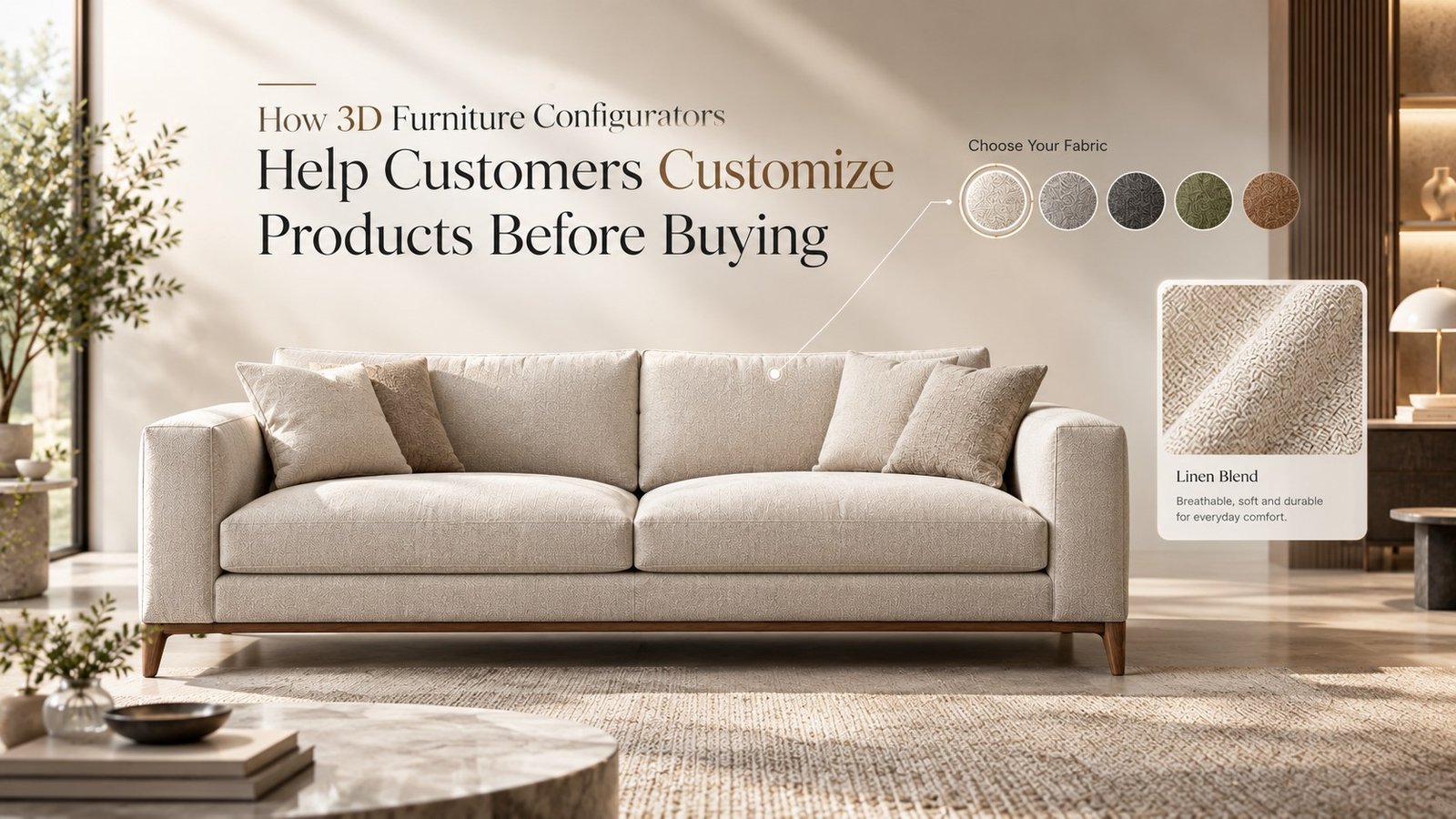
Choosing a sofa used to mean picking from whatever fabric and color the catalog photo happened to show. 3D Furniture Configurators have changed that completely — shoppers now swap fabric, finish, and size on screen and watch the product update instantly, before a single item ships.
This shift matters because furniture is one of the most personal, highest-consideration purchases in e-commerce. A shopper isn’t just picking a product; they’re picking something that has to match a specific room, a specific budget, and a specific taste. A configurator turns that decision from a guess into something the shopper can actually see.
At Blue Ribbon 3D, we build the underlying 3D assets that power these configurator experiences for furniture brands. This guide breaks down how 3D furniture configurators actually work, what they do for conversion and returns, and how a brand can start building one.
| Quick Answer 3D furniture configurators let shoppers change a product’s fabric, finish, color, or size directly on the product page and see the result update in real time, before they ever place an order. They work by swapping materials and dimensions on a single pre-built 3D model rather than switching between separate photographs, which lets a brand offer far more customization options without a separate photo shoot for every combination. |
Key Takeaways
- Configurators run on one reusable 3D model, not separate photos for every color and fabric combination.
- Shoppers who customize a product on screen show higher purchase intent than those viewing static images.
- Configurators pair naturally with AR, letting shoppers place their customized piece in their own room.
- Returns tend to drop when shoppers choose their exact fabric and finish before buying, not after delivery.
- Most brands start with one flagship product before rolling configurators out catalog-wide.
At a Glance: 3D Furniture Configurators in 2026
| Aspect | What to Expect |
| Typical customization options | Fabric, finish, color, size, legs/hardware |
| Update speed on screen | Real time, no page reload |
| Base asset required | One accurate 3D model per product |
| Common pairing | AR placement, 360° rotation |
| Best fit | Modular, customizable, or made-to-order furniture |
What Is a 3D Furniture Configurator?
A configurator is an interactive tool built on top of 3d furniture rendering services, where a single 3D model has multiple materials, colors, and dimensions built into it as switchable options.
Instead of loading a new photo every time a shopper picks a different fabric, the configurator simply swaps the texture applied to the existing model. The geometry stays the same; only the surface and, in some cases, the proportions change.
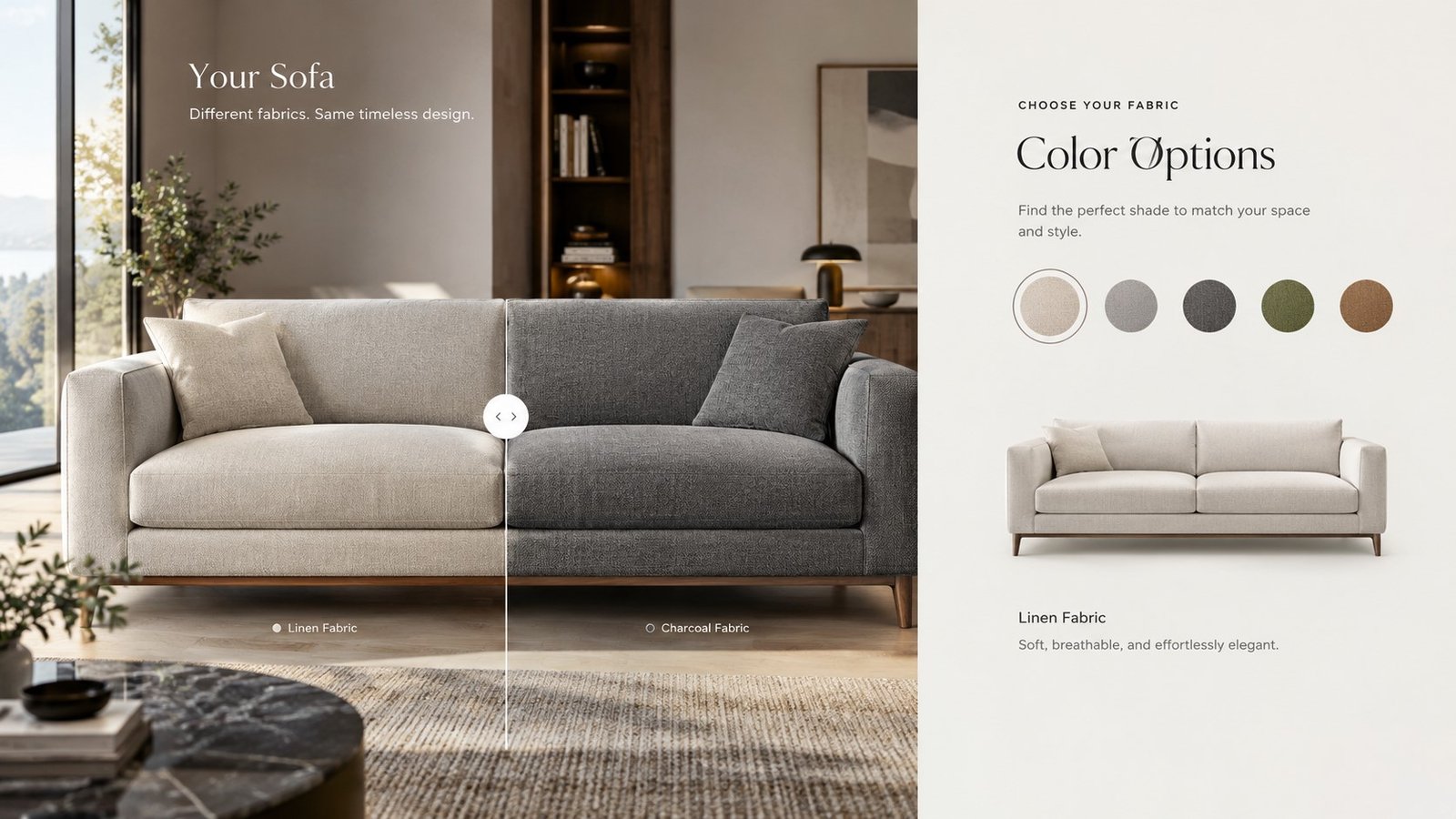
This is different from a basic color-swatch selector. True 3D Furniture Configuration changes what the shopper actually sees on the product itself, not just a small swatch icon next to it.
Configurators also change what a product page needs to communicate. Instead of a long block of copy describing every fabric and finish option in words, the shopper simply selects an option and sees the outcome directly on the model. That shifts a good part of the product page’s job from writing to interaction, which tends to keep shoppers on the page longer and gives them a clearer sense of what they are actually about to buy.
How Interactive 3D Furniture Configurators Work
Behind the scenes, Interactive 3D Furniture tools follow a fairly consistent technical pattern.
- Base model: one accurate 3D model is built with correct proportions and structure.
- Material library: each fabric, finish, and color option is prepared as a swappable texture set.
- Real-time rendering: the viewer re-renders the model instantly as the shopper picks a new option.
- Size and module logic: for modular pieces, the tool also adjusts dimensions or component count as the shopper changes the configuration.
None of this works well without a properly built foundation model. A configurator built on a rough or inaccurate base model will show visible seams, warped textures, or proportions that shift oddly as options change — which undermines shopper trust faster than no configurator at all.
Most configurator platforms plug into an existing e-commerce stack rather than replacing it. The 3D model and material library sit as assets that a lightweight viewer loads on the product page, so the surrounding cart, checkout, and inventory systems stay exactly as they were. That is one reason configurators have become easier for mid-size furniture brands to adopt in recent years — the heavy technical lift is in preparing the 3D asset itself, not in rebuilding the storefront around it.
Furniture Product Configurators vs. Simple Color Selectors
Not every “configurator” on a furniture site is built the same way. A genuine Furniture Product Configurator and a basic color selector solve different problems, even though they can look similar at first glance.
| Factor | 3D Configurator | Basic Color Selector |
| Visual update | Full product re-renders in real time | Small swatch icon only |
| Options supported | Fabric, finish, size, modules | Usually color only |
| Shopper confidence | High — sees the actual product change | Lower — imagines the rest |
| Build complexity | Requires a proper base 3D model | Requires only a color palette |
| Best for | Customizable, made-to-order furniture | Simple, single-material products |
Why Configurators Improve Buyer Confidence
A 3D Product Configurator changes how a shopper makes a decision, not just what they see on the page.
- Active decision-making: shoppers who customize a product are more engaged than those passively scrolling through fixed photos.
- Fewer support questions: “does this come in another color” questions drop when the answer is visible on the page itself.
- Lower return risk: a shopper who picked their exact fabric and finish has fewer surprises when the order arrives.
- Higher average order value: configurators make premium finishes and add-ons easy to discover and select in the moment.
Taken together, these effects tend to compound on higher-consideration items specifically — the more a shopper cares about getting the choice exactly right, the more a configurator earns its place on the page.
There is also a quieter benefit that shows up over time rather than in a single session: shoppers who use a configurator and don’t buy immediately tend to remember the specific version they built. Some brands let shoppers save or share their configuration, turning a browsing session into something they can return to later, or send to a partner or roommate for a second opinion before checkout.
Pairing Configurators With AR Furniture Visualization
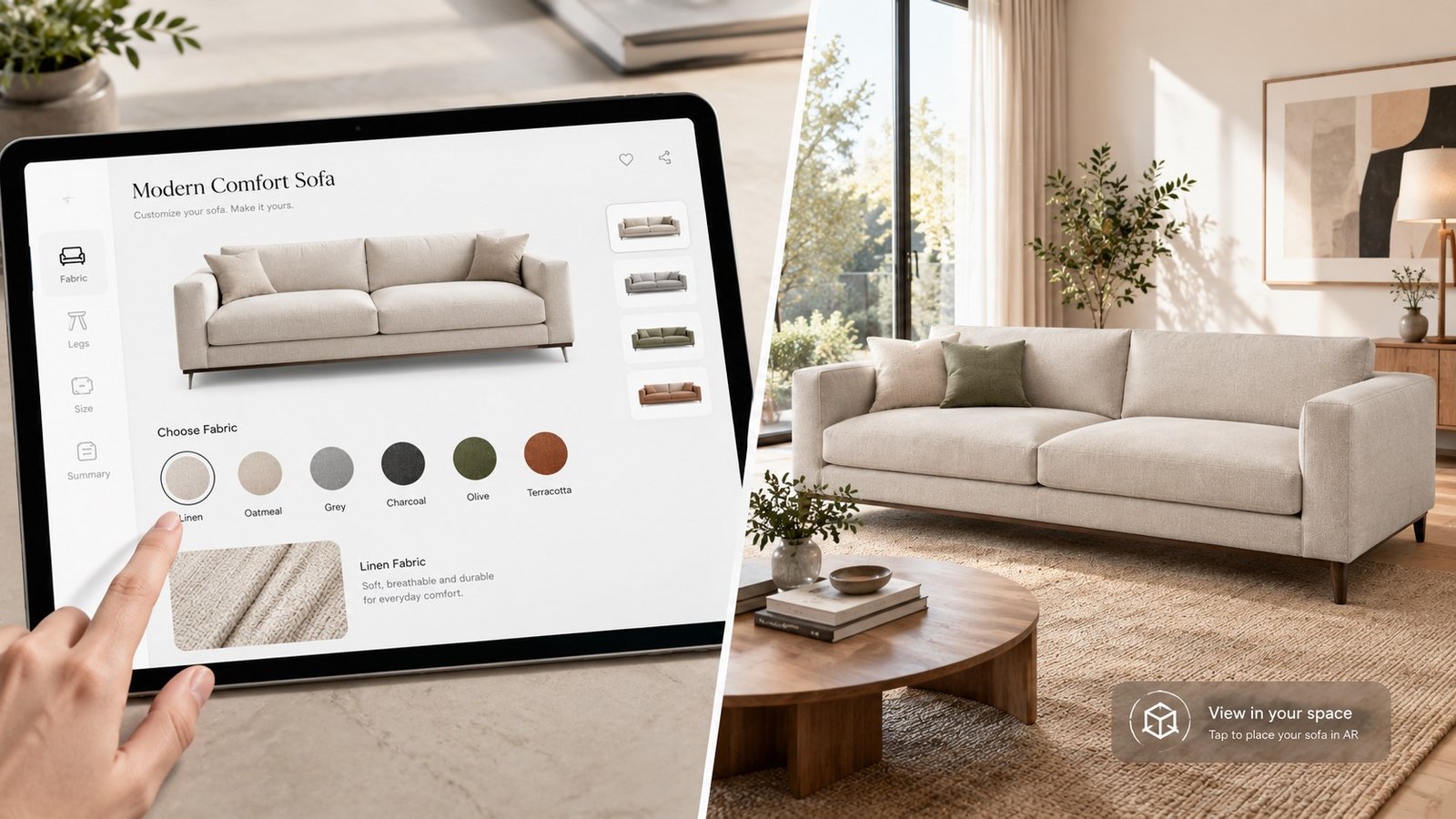
The natural next step after configuring a product is placing it. AR Furniture Visualization lets a shopper take the exact fabric-and-finish combination they just built and preview it directly in their own room using a smartphone camera.
This combination — configure, then place — answers the two biggest hesitations in furniture shopping in a single flow: “will this look right” and “will this fit.” Brands offering both together tend to see stronger engagement than those offering either feature alone.
Bringing Configurators Into Your Online Furniture Store
An Online Furniture Configurator needs to fit naturally into an existing product page, not feel like a separate tool bolted on afterward. The best implementations keep the configurator visually consistent with the rest of the brand’s photography and lifestyle imagery.
This is where 3D Furniture Models for E-commerce pays off twice: the same base model built for the configurator can also generate standard catalog images, so a brand isn’t maintaining two separate asset pipelines for one product.
Strong Furniture Product Visualization and 3D Furniture Visualization Services providers will typically deliver the configurator-ready model alongside standard renders as part of the same project, rather than treating them as entirely separate deliverables.
Loading speed deserves attention too. A configurator that takes several seconds to respond to each option change feels broken, even if the underlying model is accurate. Brands generally see the best results when the viewer is optimized separately from the high-resolution marketing renders used elsewhere on the site — the configurator needs speed first, and photorealistic detail second.
Common Mistakes When Launching a Configurator
A few avoidable missteps show up repeatedly in early configurator launches. Knowing them ahead of time makes the rollout smoother.
- Skipping the base model quality check: launching on a rushed or inaccurate 3D model creates visible flaws that are expensive to fix after shoppers have already seen them.
- Offering too many options at once: an overwhelming number of fabric and finish choices on day one can slow shoppers down instead of helping them decide.
- Treating it as a one-time project: material libraries need updating as new fabrics and finishes are added to the physical product line.
- Ignoring mobile performance: a configurator that runs smoothly on desktop but lags on phones will lose a large share of furniture shoppers, since mobile browsing is common for this category.
A Typical Configurator Rollout
A mid-size sofa brand wanted to offer 12 fabric options and 3 leg-finish choices across its bestselling sectional. Rather than photographing all 36 combinations, the brand commissioned one accurate base model with a swappable material library covering every fabric and finish.
The configurator launched on that single flagship product first. Once the team confirmed it loaded quickly and shoppers were actively using it, the same approach extended to four more bestsellers over the following quarter. This reflects a typical rollout pattern rather than a specific named client engagement.
Frequently Asked Questions
What is a 3D furniture configurator?
It’s an interactive tool that lets shoppers change a product’s fabric, finish, color, or size on screen and see the result update in real time, built on a single 3D model.
How is a configurator different from just showing multiple photos?
A configurator re-renders the same 3D model with new materials or dimensions instantly, instead of loading separate pre-shot photos for every possible combination.
Do configurators actually improve conversion?
Shoppers who actively customize a product tend to show higher purchase intent than those who only scroll through static images, since they’re already invested in the decision.
Can a configurator work with AR at the same time?
Yes. The same base model used for the configurator can typically be reused for AR placement, letting a shopper preview their exact customized version in their own room.
Do I need a physical sample to build a configurator?
No. A studio can build the base 3D model and material library from CAD files, dimensions, and fabric swatches without a finished physical product.
Which furniture products benefit most from a configurator?
Modular, customizable, or made-to-order pieces — sectionals, dining sets, sofas with multiple fabric options — see the biggest impact, since customization is core to the buying decision.
How long does it take to build a furniture configurator?
Timelines vary by how many material and size options are included, but a single flagship product with a moderate option set typically takes a few weeks from base model to launch.
Is a configurator expensive to maintain over time?
Adding a new fabric or finish later is usually far cheaper than the initial build, since it means adding one new texture to an existing model rather than rebuilding it.
Conclusion
3D furniture configurators solve a problem static catalog photography never could: letting a shopper actually see the specific combination they’re considering, not just imagine it from a generic product shot. That difference shows up in engagement, in confidence, and in how often the delivered product matches what the shopper expected.
The brands seeing the strongest results aren’t launching configurators across their entire catalog on day one. They’re starting with a single flagship product, confirming it performs, and expanding from there — the same measured approach that works for most new 3D technology rollouts.
Ready to see what a configurator could do for your bestselling product? Blue Ribbon 3D builds the accurate, reusable 3D models that power configurator, AR, and standard catalog imagery from one consistent foundation.
Related posts
3D Furniture Rendering Services: How AI Boosts E-commerce Conversions by 94% (2026 Guide)
Introduction Furniture shoppers no longer buy from a single static photo alone. AI 3D Furniture Rende …
Furniture 3D Rendering Cost in 2026: Complete Pricing Guide
Introduction If you are planning a furniture catalog shoot for 2026, furniture 3D rendering cost is p …